


ChromaQA 7.5 adds artwork guides and ICC profile imports
19 October 2026: Datacolor | Techkon has released ChromaQA 7.5 for printers and brands, with official release notes published on 14 October 2026. Announced from Danvers, Massachusetts, the update adds artwork measurement guides and ICC-profile imports, giving production teams more control over colour standards and job evaluation.
Techkon lists 18 additions and improvements across SPEC, PRESS, STANDARDS, ADMIN and SmartINK. They cover preparing job templates, checking colour on press and documenting results for customers.
What changes in ChromaQA 7.5?
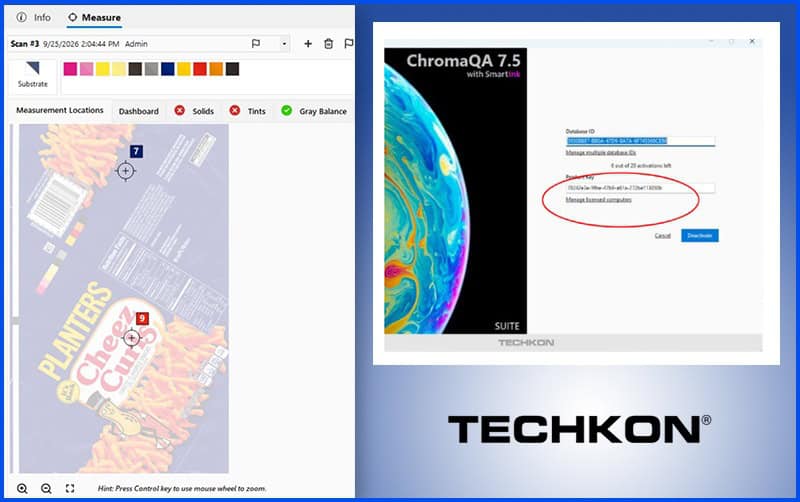
In Chroma Spec, users can upload PDF or JPG artwork when building a template. Operators can then see the job they are running. Template creators can also pin measurement locations directly onto the image, identifying where operators should take readings for each selected colour standard.
The update adds master templates with access controls. Only users with the relevant role can edit or delete an approved master; other users can duplicate it and change their own copy without altering the original. Administrators can also restrict SmartINK access by role.
ICC profiles and PantoneLIVE standards
Template builders can now import standards from ICC profiles, including CIELab values and TVI curves. Techkon specifies support for ICC v2 and v4, plus CMYK and multichannel profiles. Existing import routes include Chroma Standards, PantoneLIVE and GMG OpenColor.
For background on creating profiles, Screen Print India’s coverage of Epson’s ICC profiling tools describes a separate chart-measurement workflow.
When working with PantoneLIVE colour libraries, users can select an illuminant and observer combination in Chroma Standards. The software then targets the corresponding CIELab values during sampling. Individual colours can also carry their own deltaE tolerances, overriding a template’s global tolerance when imported.
ScoreCards address individual colour failures
Chroma Admin now supports multiple customised ScoreCards for different customer requirements or internal scoring rules. Users can set an upper threshold that no individual colour may exceed, rather than relying only on an average result.
With the relevant scoring option enabled, exceeding that threshold forces the affected patch-type/metric score, or the entire scan score, to zero. This makes a single out-of-tolerance colour visible even when the average otherwise looks acceptable.
Chroma Press also adds substrate-opacity reporting. The distributed release describes measurements over white and black backgrounds, with an opacity target and tolerance set in the template. Users can disable unused channels in standard colour bars instead of maintaining separate layouts for every job variation.
Ink corrections and customer reports
Users can import a Colibri colourant set and automatically create a SmartINK-ready set, rather than rebuilding it through new drawdowns.
SmartINK’s “Show in Cups” feature now rounds corrections to the nearest quarter cup and recalculates the predicted deltaE for that rounded amount. The displayed value is a prediction for the revised recipe, not a measured result from the corrected ink.
Chroma Standards adds customised drawdown reports that users can print or save as PDFs. Colour books can also be sorted by name, creation date or modification date.
After device calibration, SpectroCheck can generate reports containing reference values, measured values and deltaE differences. Techkon describes this documentation as support for ISO compliance; it does not present the report as ISO certification.



Sorry, the comment form is closed at this time.